
Making AGS your default interfaceUpdated 8 months ago
If you want your Polycade or PC to boot up and open Polycade AGS rather than the standard Windows desktop, you can follow these instructions:
1. Navigate to the Settings tab in AGS
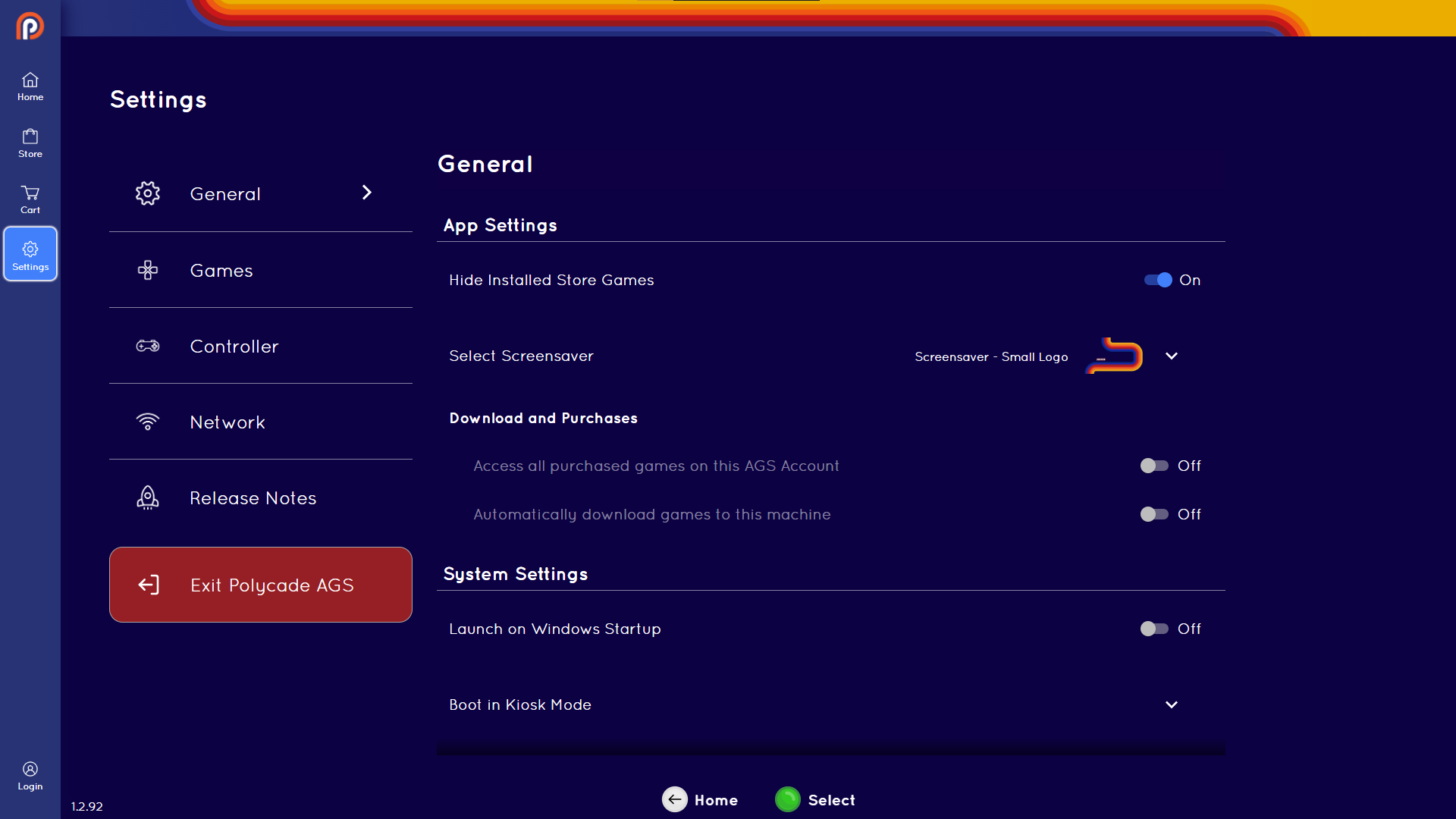
2. Go to General
3. Navigate to "Boot in Kiosk Mode" and select with A (or Green button)

4. Confirm by selecting "Restart"
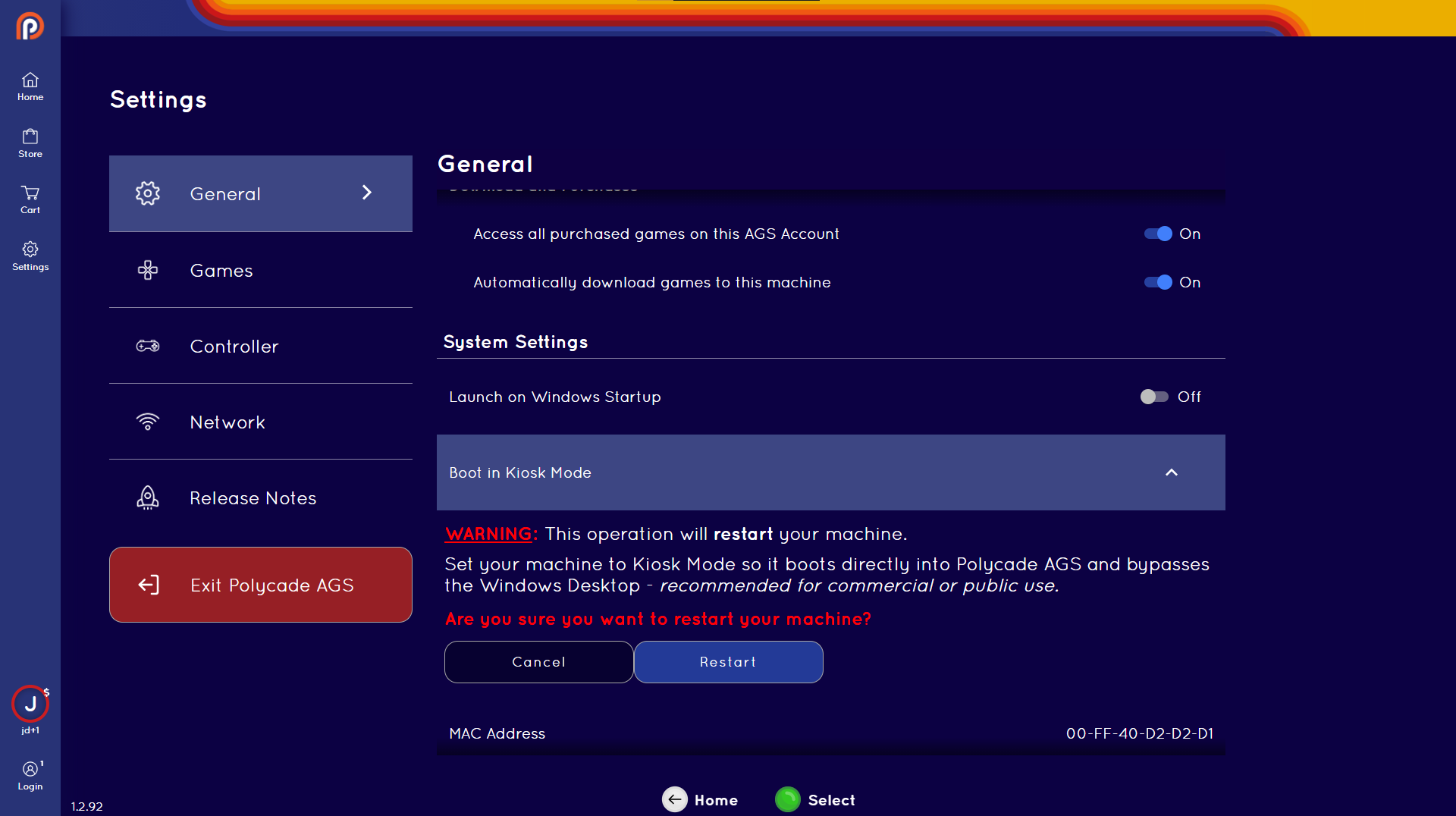
5. If you see a "User Account Control" pop-up, select "Yes"
This will restart your machine and it will boot directly into AGS.