
Graphics Driver UpdateUpdated 6 months ago
Hey Polycade Family & Friends! 🎉
We’ve got an important update for those of you running the AMD Ryzen Pro 7 Mini PC with Radeon Graphics inside your Polycade setup.
A new AMD graphics driver has been released — and updating it will ensure the best performance, smoother gameplay, and improved compatibility with the latest titles.
🔧 How to Update Your AMD Graphics Driver
Follow these simple steps to keep your Polycade running at peak performance:
1. Identify your system:
Make sure your Polycade is running on the AMD Ryzen Pro 7 Mini PC with Radeon Graphics.
If you’re unsure, open the Windows Start menu → type “System Information” → confirm your processor and GPU details.
2. Visit the official AMD driver page:
https://www.amd.com/en/support/download/drivers.html
3. Select your hardware:
- Under “Graphics”, choose your GPU family:
Radeon Graphics → Ryzen Processors → Ryzen 7 PRO Series → Ryzen 7 PRO 7840U (or the exact model shown in your system info). - Click Submit.
4. Download the latest driver:
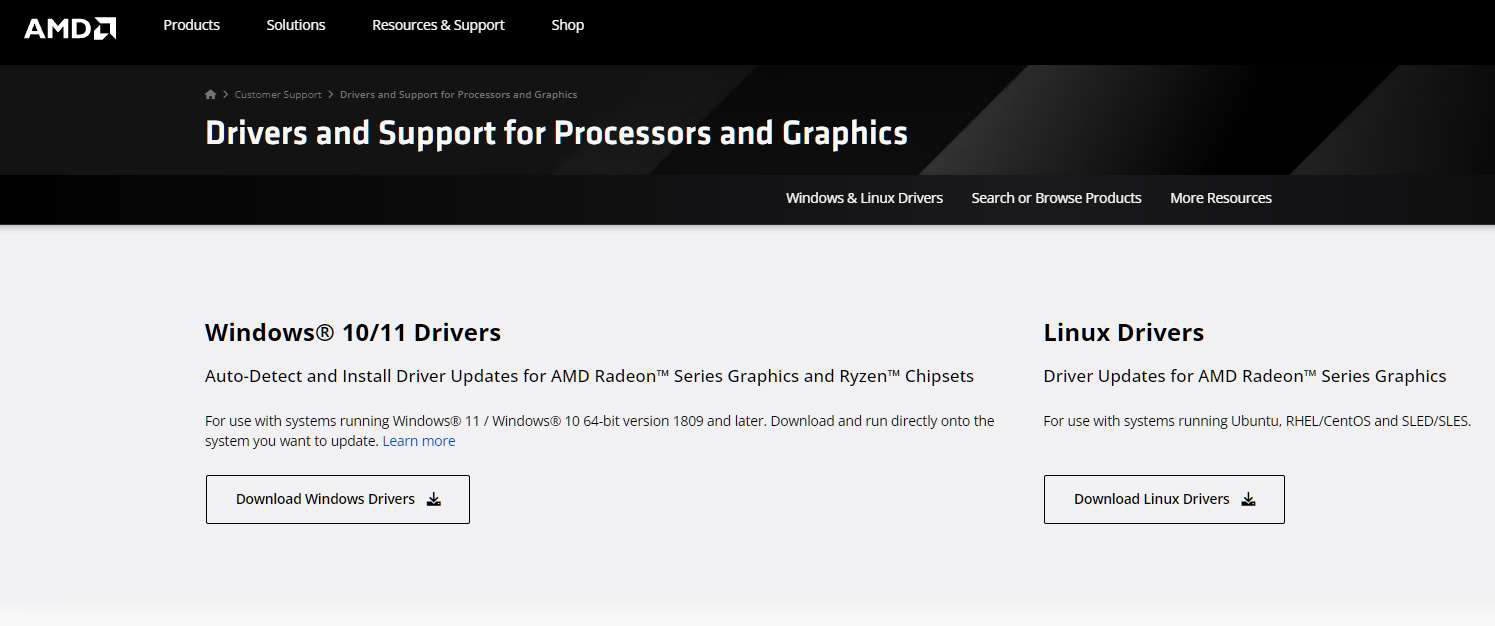
Click “Download,” under “Windows 10/11 Drivers” on the AMD webpage.
5. Install the update:
- Run the installer once it’s downloaded.
- Choose Express Install (recommended).
- Wait for the setup to complete and then restart your system.
- DO NOT MAKE ANY ADJUSTMENTS TO THE SETTINGS.
6. Verify the update (optional):
After restarting, right-click your desktop → select AMD Software: Adrenalin Edition → check the driver version under “System Information.”
👾 Why This Update Matters
- Better frame rates & stability
- Enhanced performance in new games
- Improved video playback & visual quality
- Fixes for minor driver-related bugs
🚀 Pro Tip:
Make sure Windows is fully up to date before installing any driver updates. This helps prevent compatibility issues.
That’s it! You’ll be back to gaming in minutes — with smoother visuals and improved performance across the board.